
Use the Status feature to view each table’s status in the Floor Plan view.
- Navigate to theĀ Register.
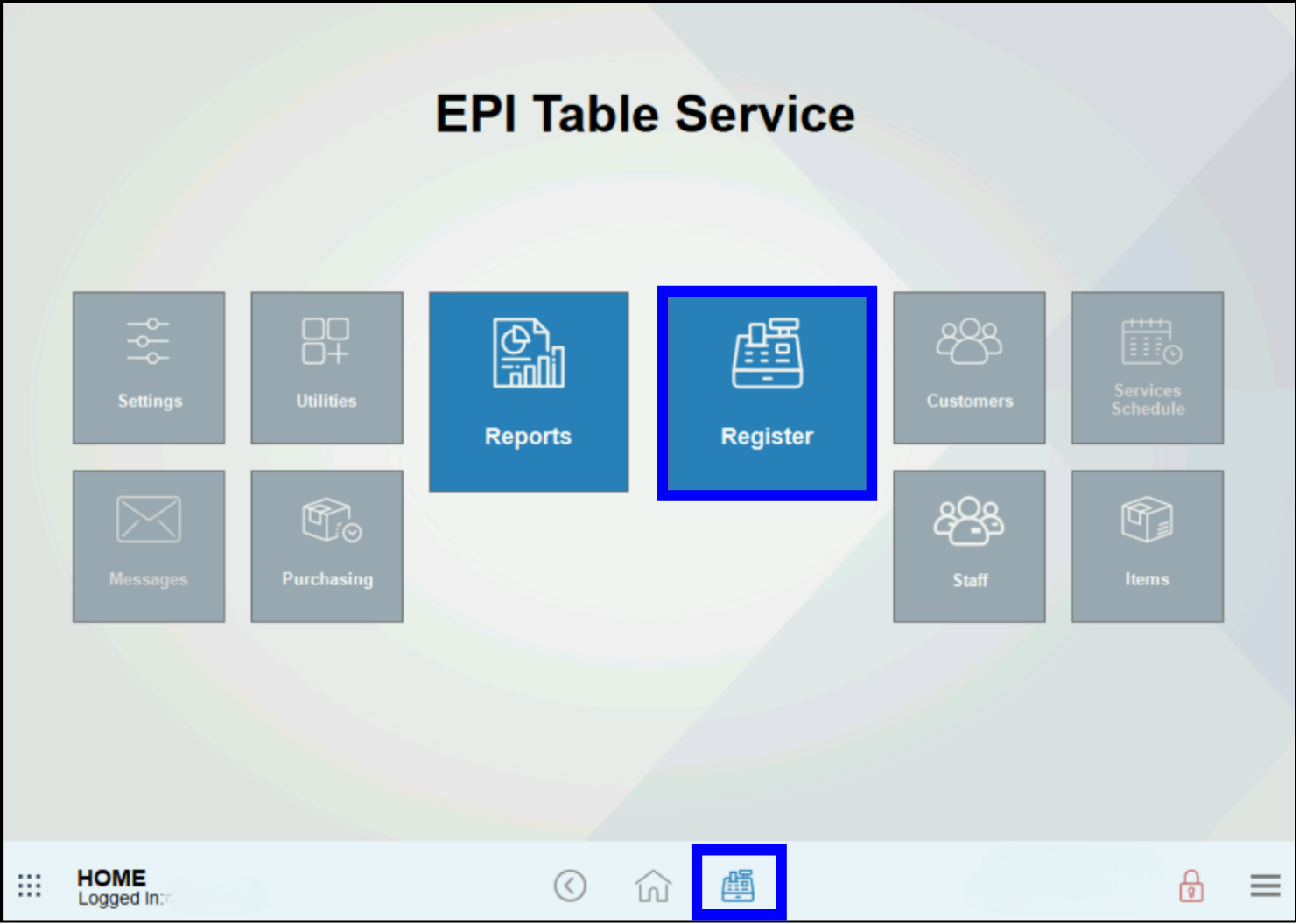
- Tap the Floor Plan tab if the Register is not already set to display Floor Plan as the default view.
- Tap Status.
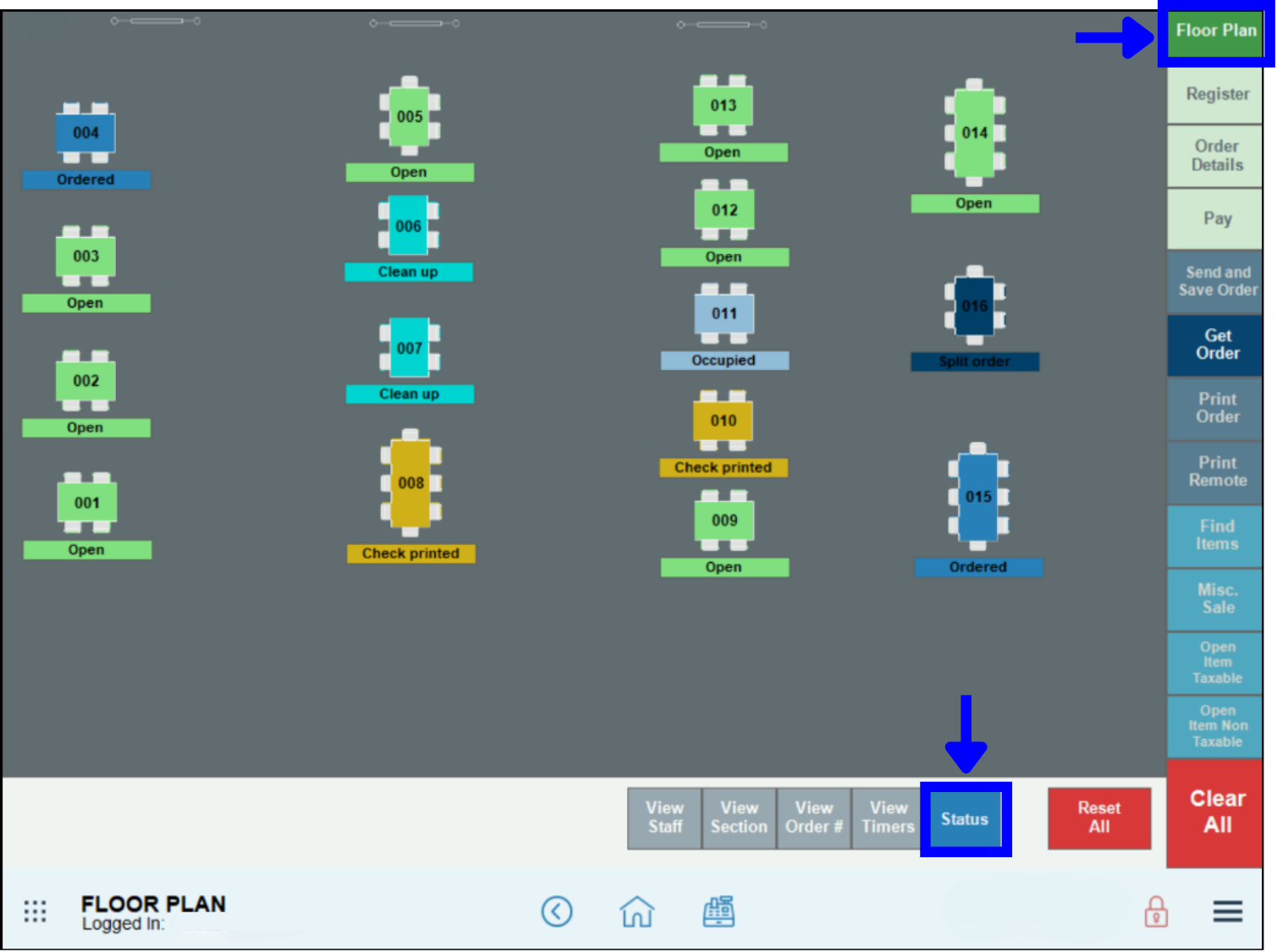
- Table status details will be visible beneath each table icon.
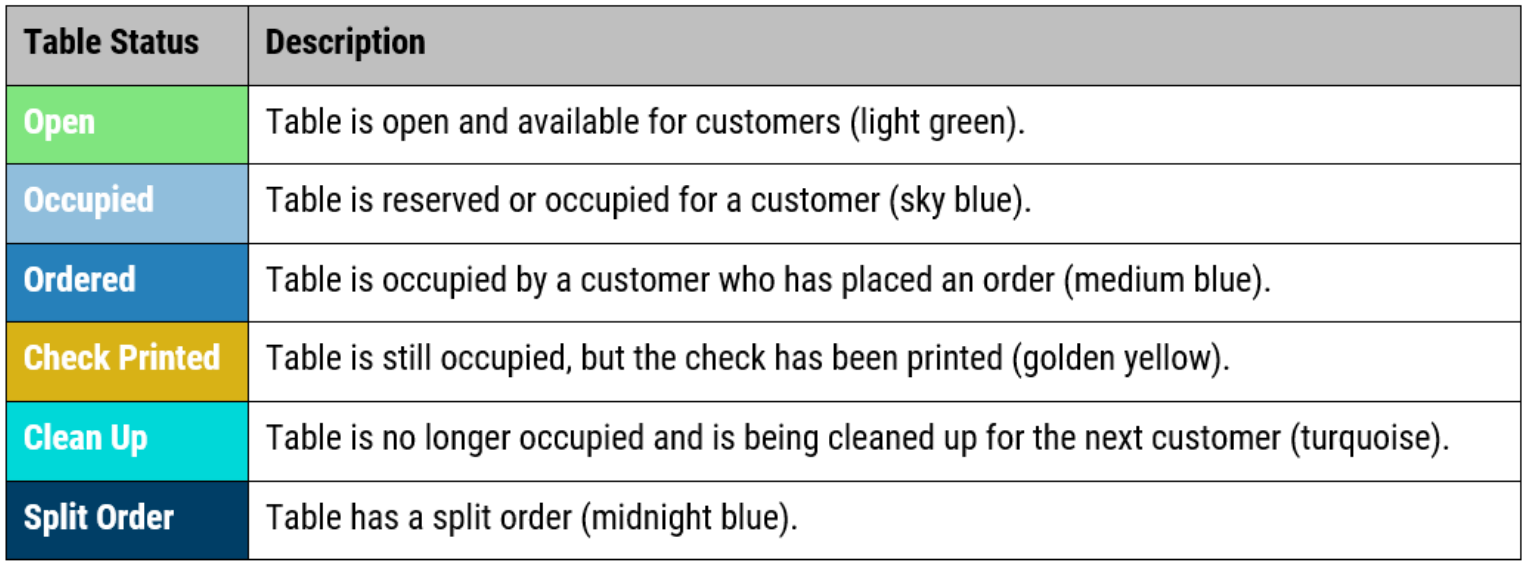
- See: Floor Plan Views
How can we improve this information for you?
Registered internal users can comment. Merchants, have a suggestion? Tell us more.