Exatouch Knowledge Base
Search the Exatouch Knowledge Base
Part of the Discounts series

Custom Buttons: Add a Discount to the Register

  • Last Updated: February 12, 2026

For quicker access, create a specialized discount or promo by adding a discount custom button directly to the register!

  • Note: Discounts, promos, or service charges which have been created in the Promos module can be added to the register via custom buttons. See: Create a Discount
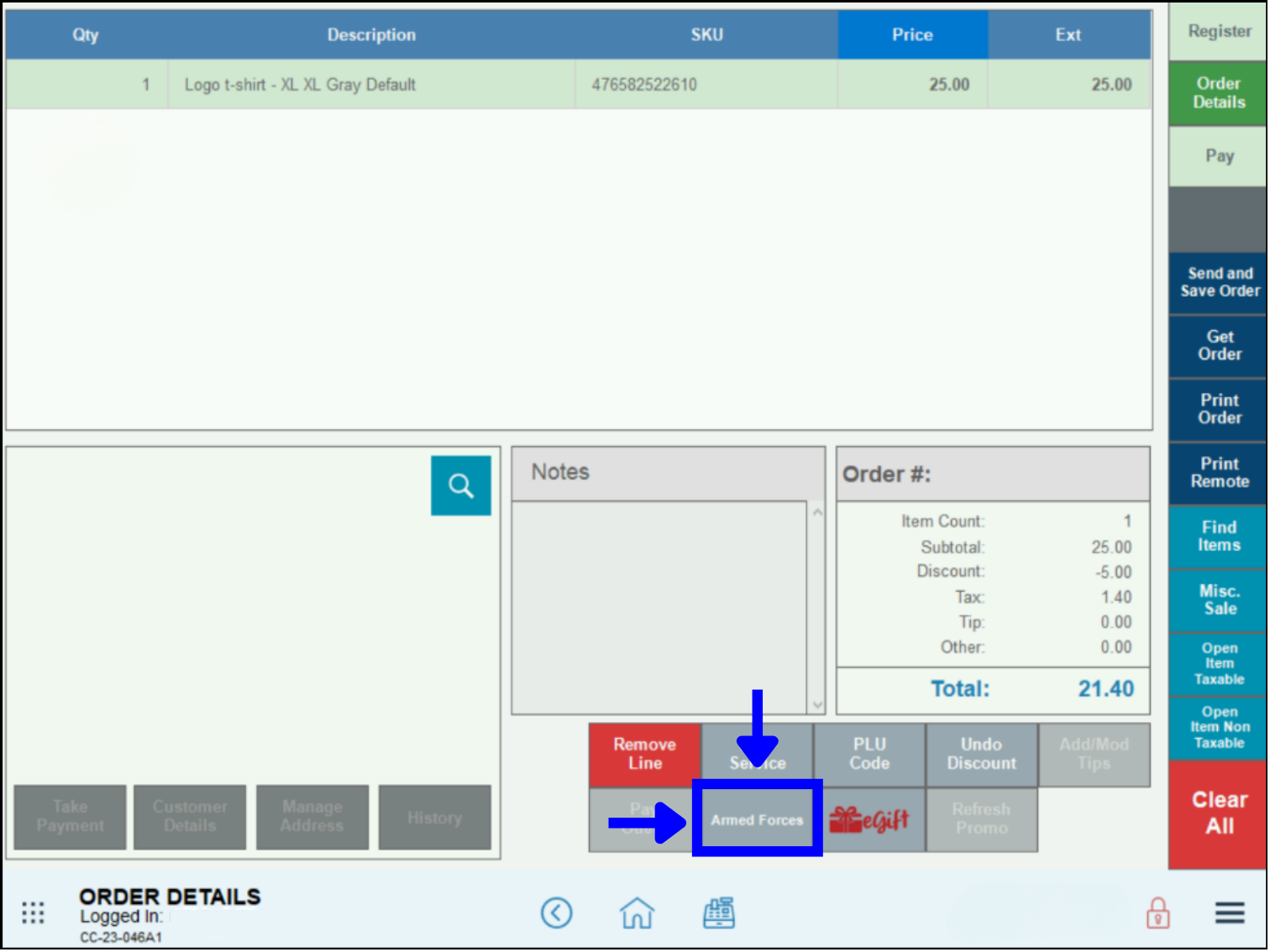
  • Example: A convenience store offers military discounts to their customers. To more quickly serve their veterans, Armed Forces is added as a custom button to the register.Add Discount to Register – Armed Forces Discount Button displayed on Register app

Add a Discount to the Register

Follow these steps to place an Armed Forces button on the Order Details tab at the Register:

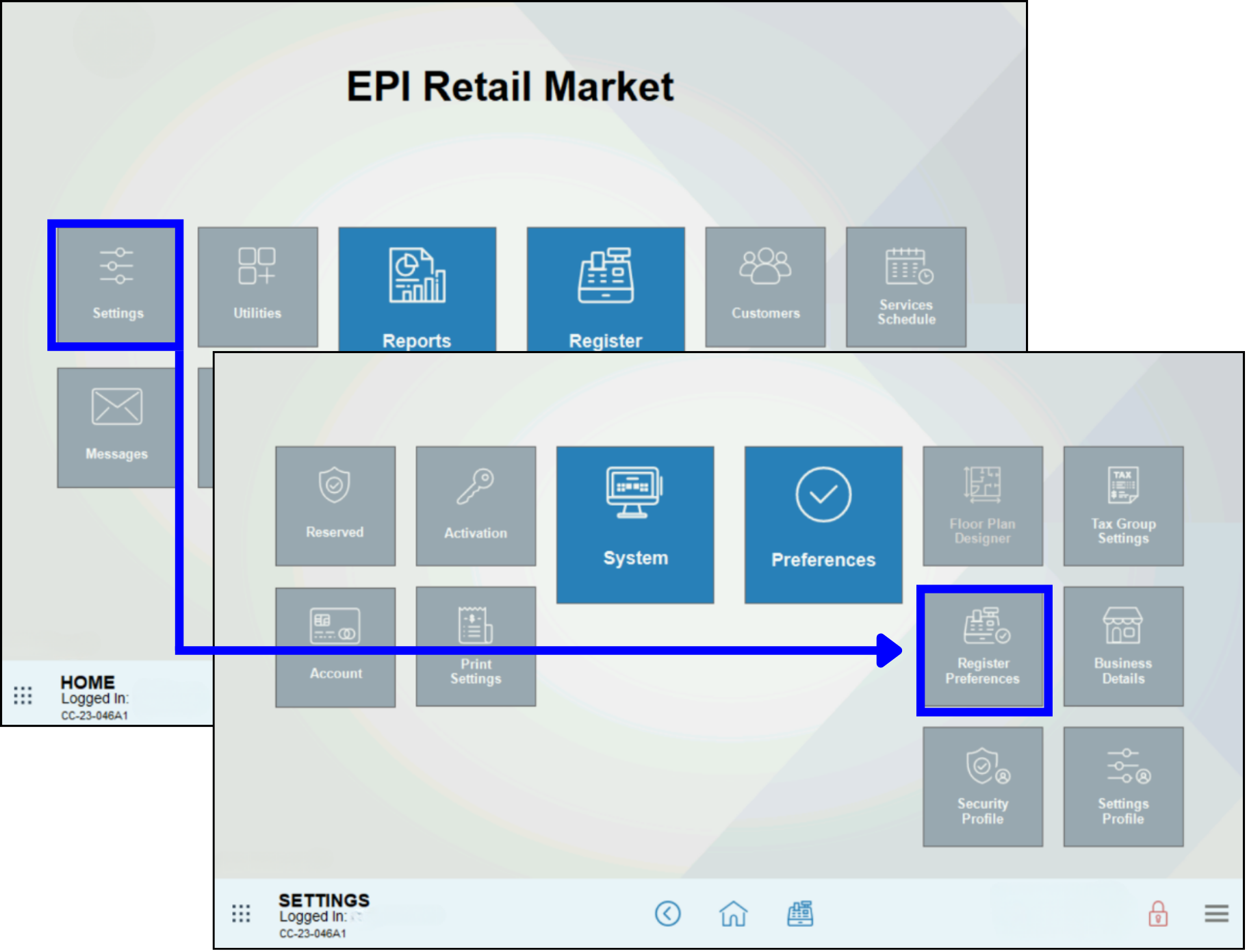
  1. From Home, navigate to Settings > Register Preferences.Add Discount to Register – Home Settings Register Preferences navigation screens
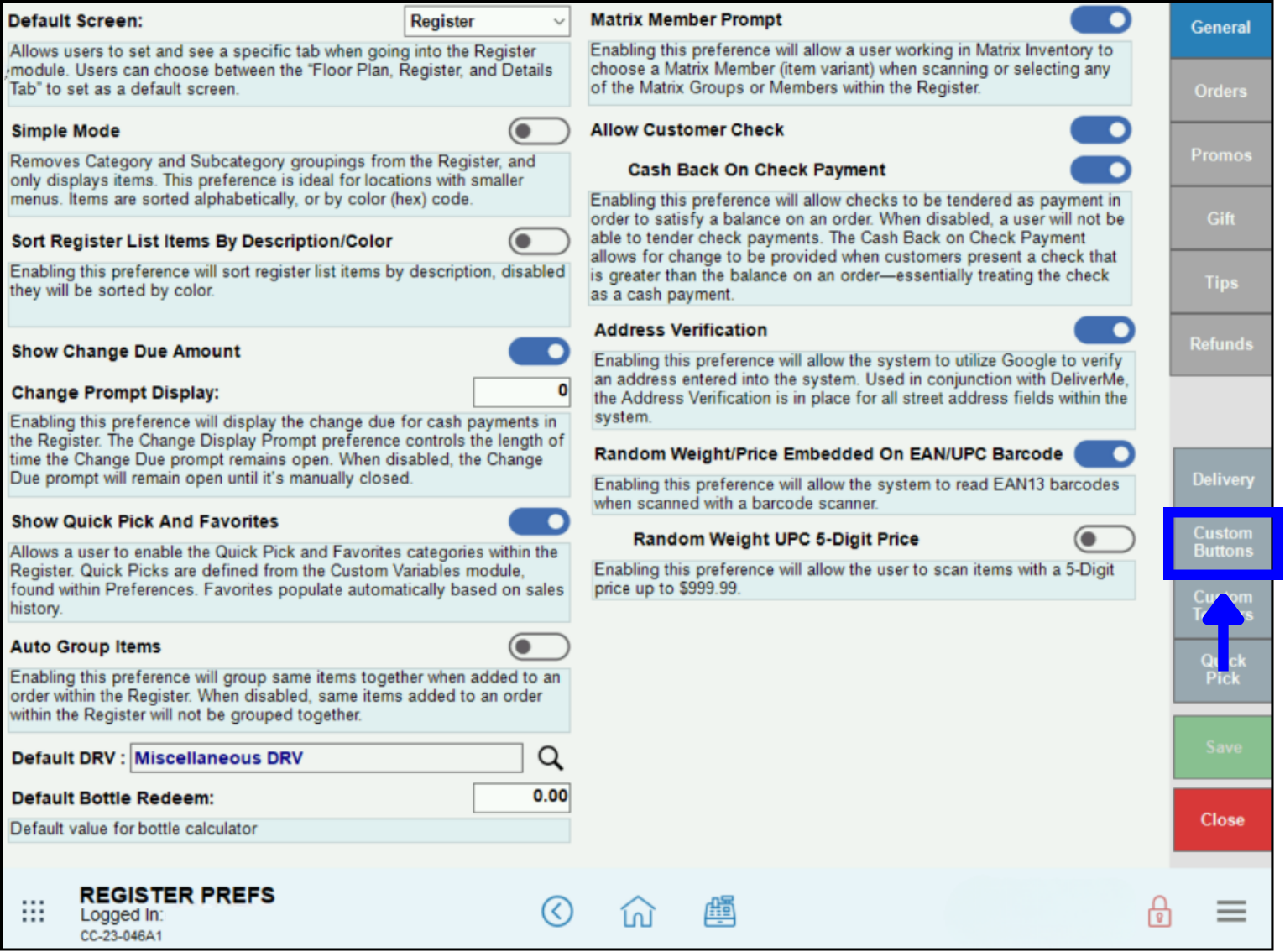
  2. Tap Custom Buttons.Add Discount to Register – Custom buttons location on Register Preferences screen
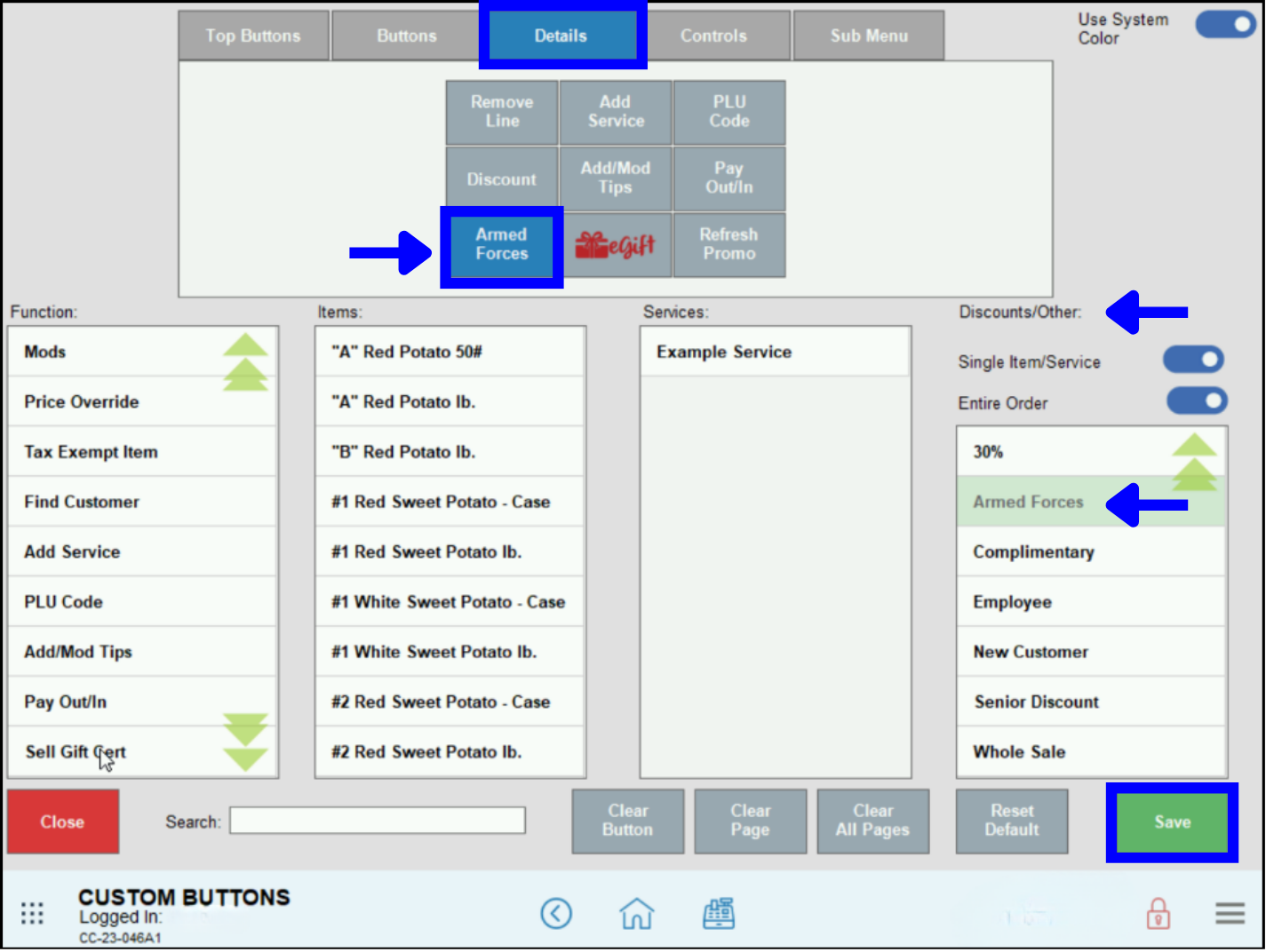
  3. From the Custom Buttons screen, tap the Details tab. For more information about button locations, see: Understanding Custom Buttons.
  4. Select an available button from the custom buttons grid. Available buttons have no label. If no buttons are available, a button can be made available by clearing it. To remove a function, item, service or promo from a button, see:  Custom Buttons: Remove a Function from the Register.
  5. From the Discounts/Other list, select Armed Forces. Scroll or use the Search field to find a discount, promo or service charge.
  6. The Armed Forces button displays in the assigned location within the custom buttons grid.Add Discount to Register – Custom buttons page configuration for new buttons
  7. Tap Save.

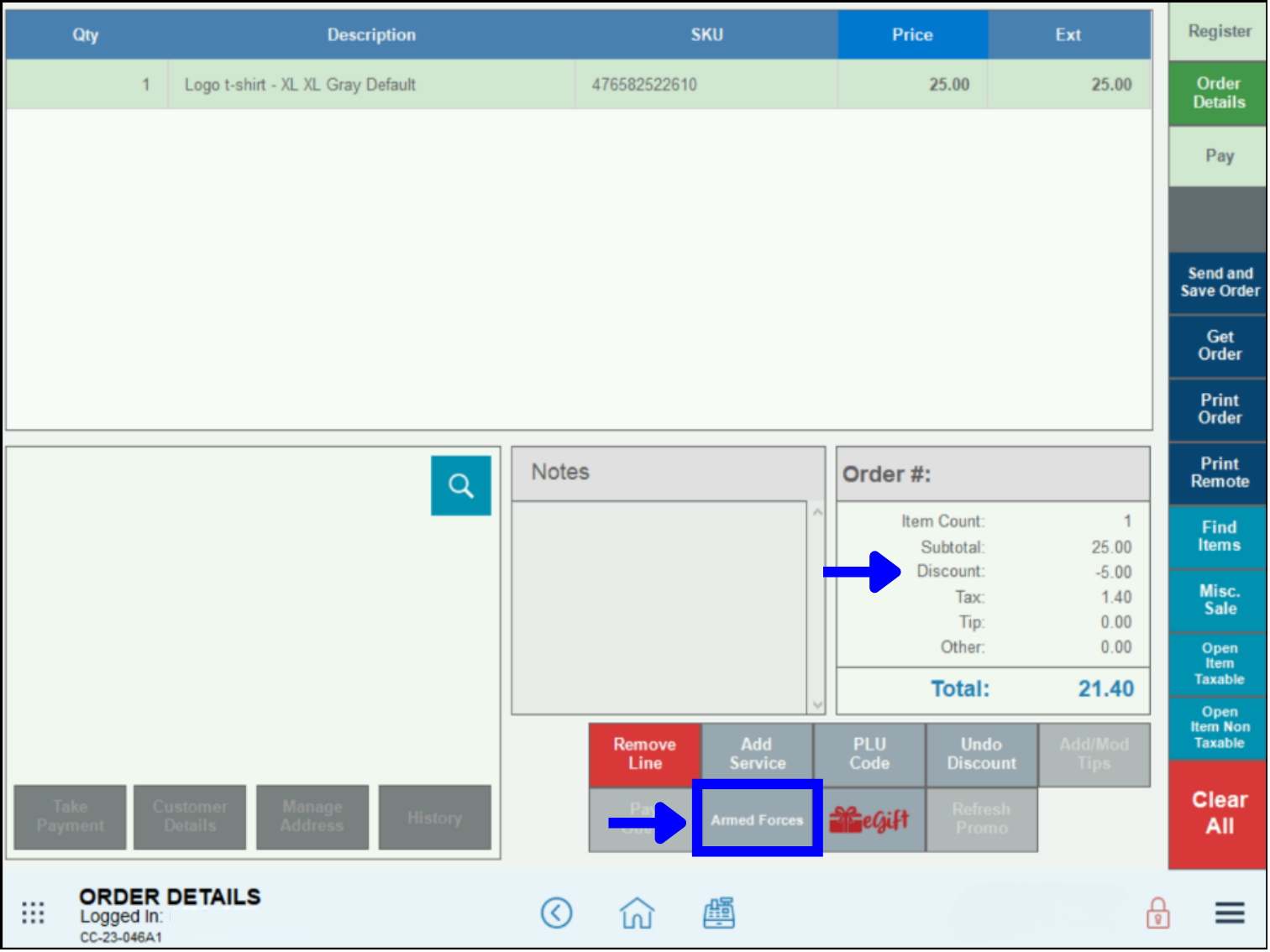
  • Tip! Check your work! Go to the Register, select or create an order, and tap the Order Details tab to view the Armed Forces custom button.Add Discount to Register – Custom button on register showing Armed Forces order discount

  • Also see: Understanding Custom Buttons and Custom Buttons: Move a Function at the Register

Popular With

Grocery/C-StoreLiquorPizzaQSR/DeliveryRetailSalon/SpaTable Service

Related Topics

  • Set Up & Manage Discounts
  • Custom Buttons
  • Promotions & Discounts

Related Articles

  • How to Use Discounts

    Last Updated: January 17, 2023

  • Create a Discount

    Last Updated: August 28, 2025

  • Enable Tender Discounts (Cash Discount Program)

    Last Updated: May 6, 2025

  • Apply an Item Discount

    Last Updated: January 17, 2023

  • Apply an Open Discount

    Last Updated: July 28, 2025

  • Apply a Global Discount

    Last Updated: August 15, 2025

  • Deactivate Discounts and Promos

    Last Updated: January 17, 2023

  • Custom Buttons: Add a Discount to the Register

    Last Updated: February 12, 2026

How helpful was this article?

Your page rank:

How can we improve this information for you? Cancel Reply

Registered internal users can comment. Merchants, have a suggestion? Tell us more.

Software Update Request

Software Update Request Form

  •  
  • Check Your Exatouch Version Number
  • MM slash DD slash YYYY
  • This field is for validation purposes and should be left unchanged.
Questions? Suggestions? We're here to help! Contact our 24/7 Technical Support Team today!
Privacy Policy  |   Privacy Rights  |   Cookie Preferences