
Future Pricing enables merchants to set price changes in advance. Future Pricing does not affect any promotions or service fees. Any currently running promotions, service fees, or discounts are automatically applied to the future price.
Merchants can view the future price of an item and the date it will take effect in the Pricing tab.
To set a future price for an item, do the following:
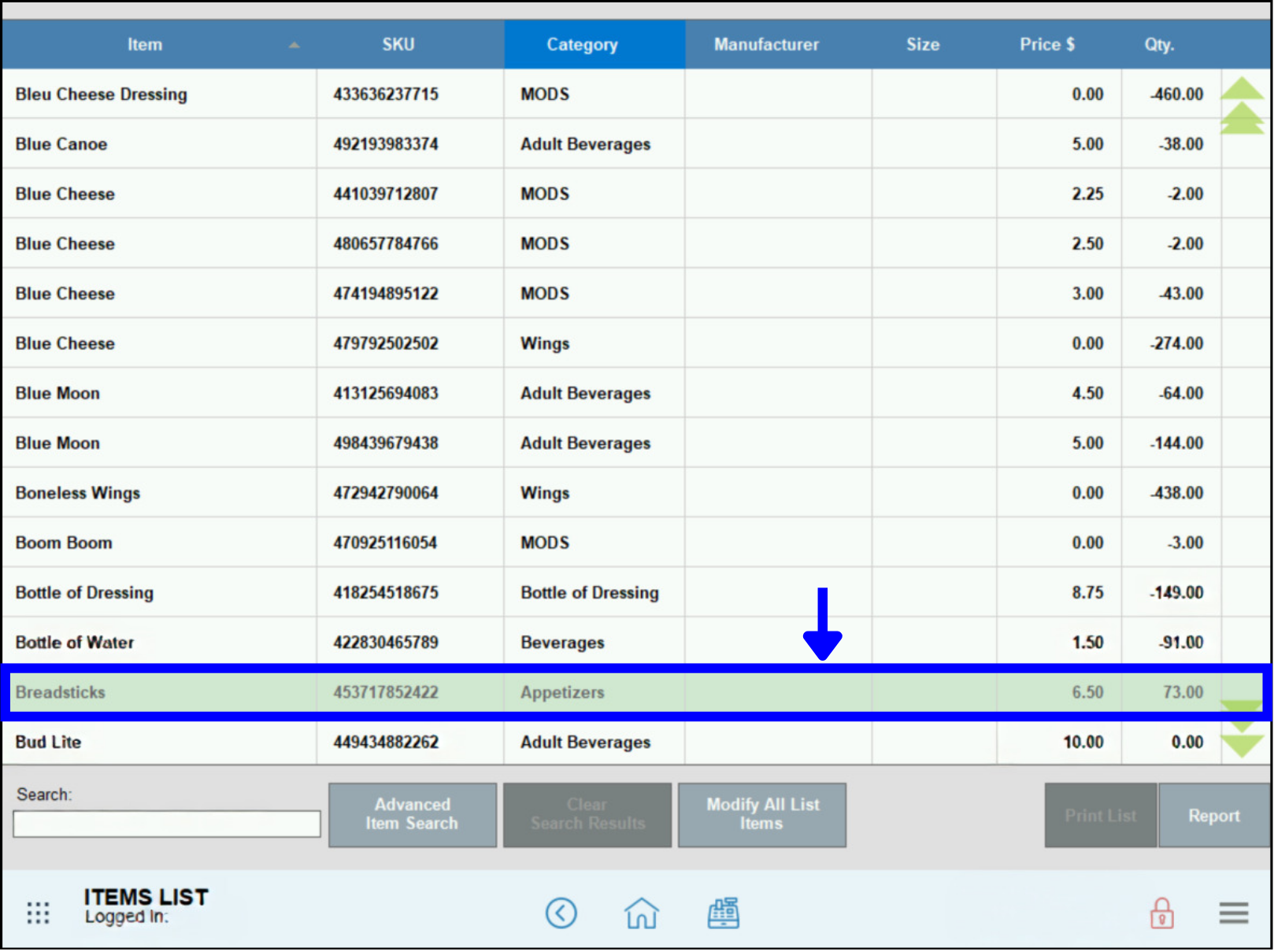
- Go to Items > Item List.
- Choose an item from the list of items that are displayed.
- In the Pricing tab, enter the new price in the Future Price field and then choose the date for the price to take effect. The current date is highlighted in green.
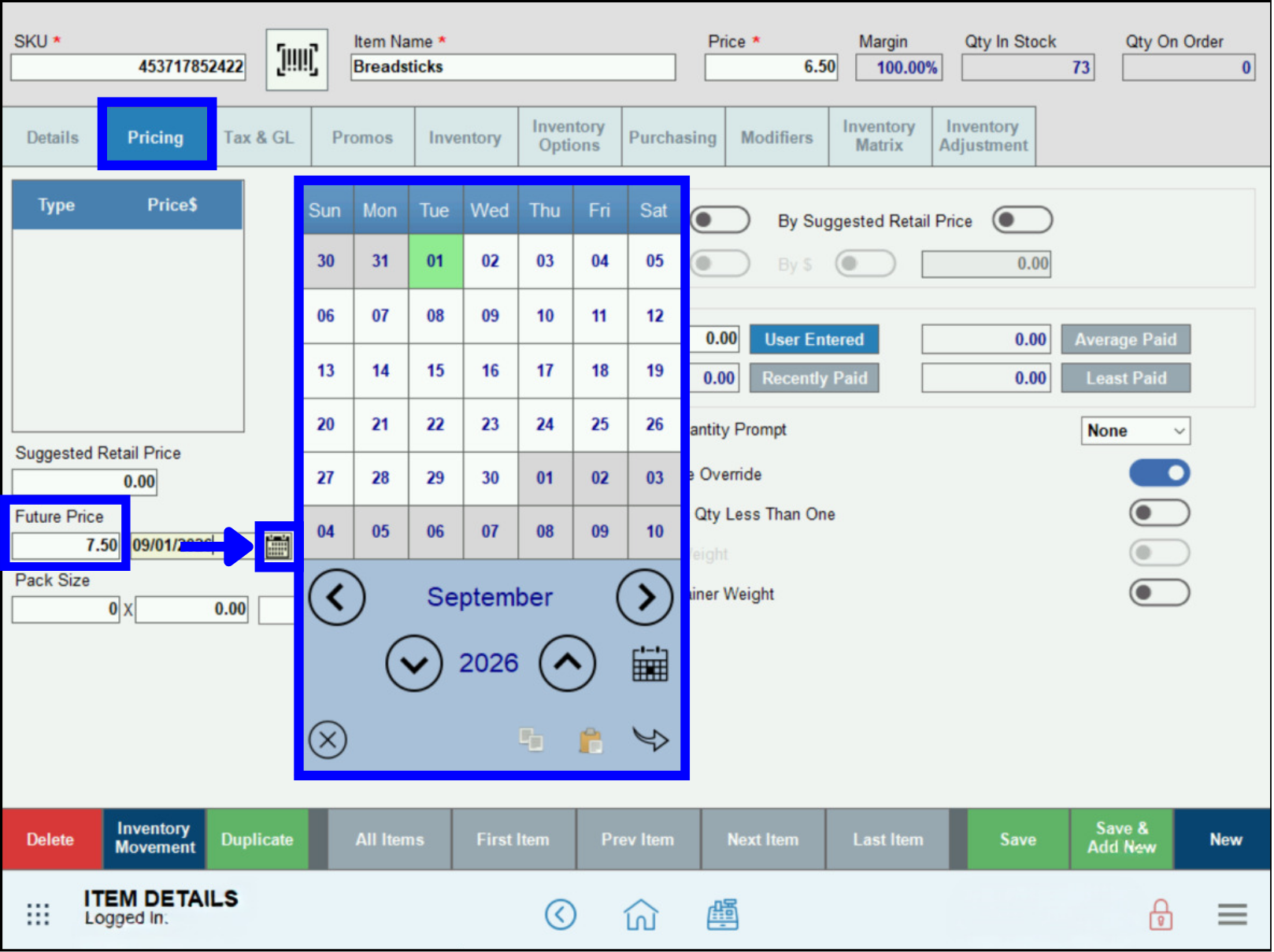
- After the date populates, tap Save.
- Note: If you are unable to edit the Future Price field, then another pricing module such as Markup might be enabled.
How can we improve this information for you?
Registered internal users can comment. Merchants, have a suggestion? Tell us more.