
Merchants can use a card on file to complete transactions. Collecting this high-level customer profile information can help keep transactions secure without the need for a physical card at checkout.
- Important: Before adding Card(s) on File, merchants must be set up on M360 and have Accounts Receivable settings configured on Exatouch. Please contact the Exatouch Technical Support Team for assistance with M360 and Accounts Receivable set up.
- Note: If a customer wants to save multiple cards, individual customer profiles will have to be set up for each card (e.g., Michael Smith 1111, Michael Smith 1234, etc.).
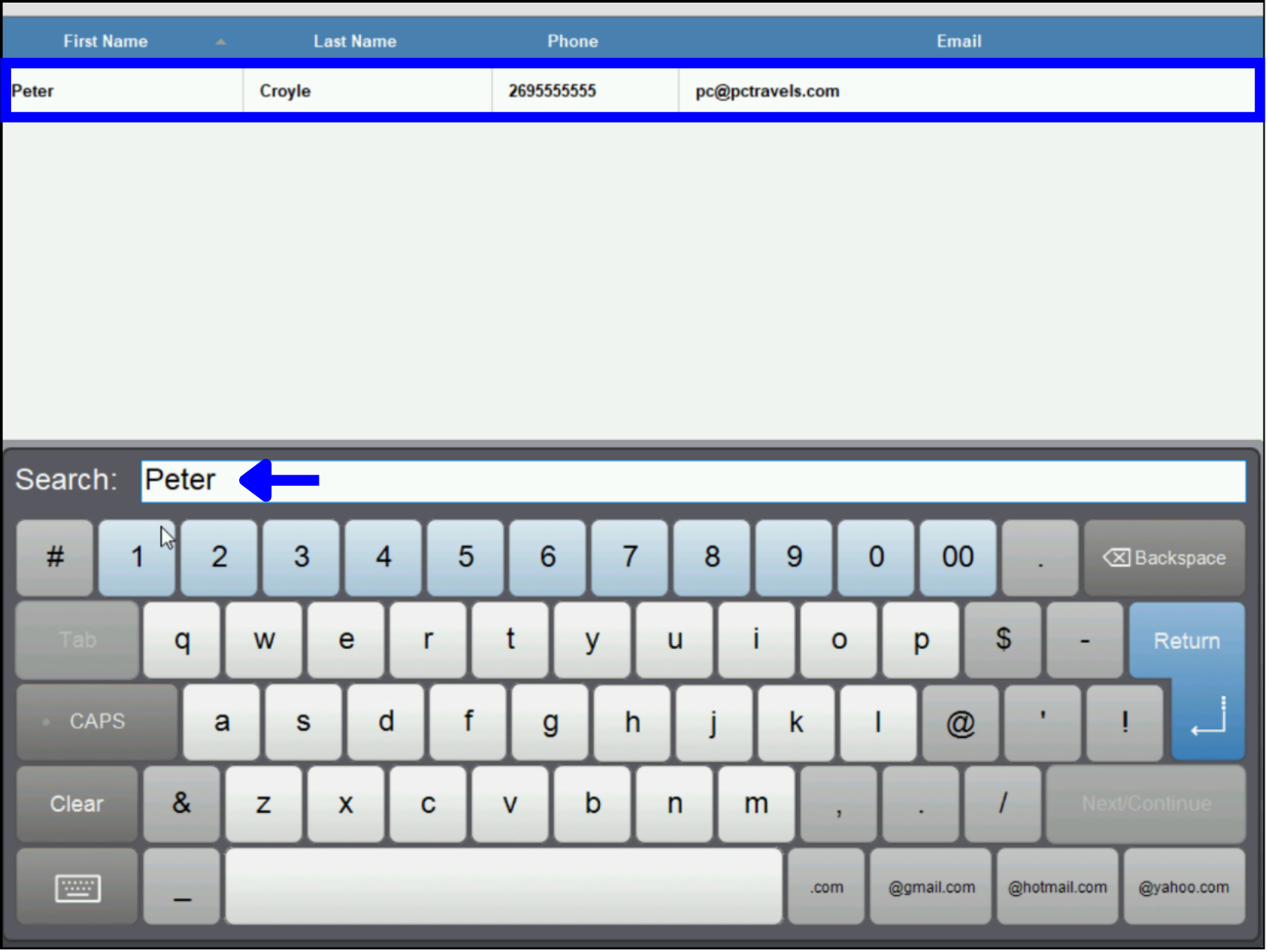
- Go to Home > Customers > Customer List. (To create a new customer profile, see Enter a New Customer.
- Select the customer profile from the list or enter a name in the Search field.
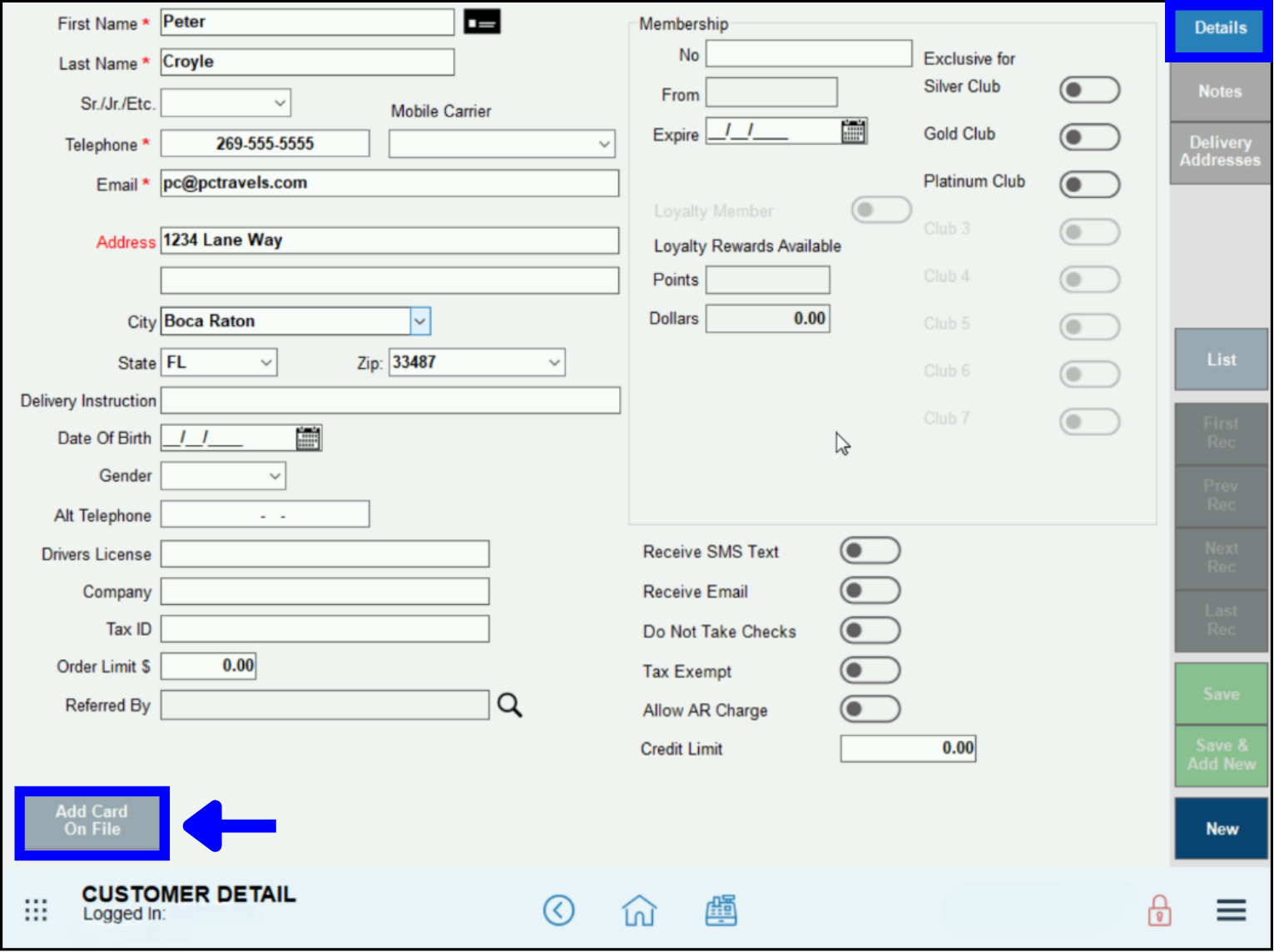
- In the customer profile Details tab, select Add Card on File.
- Fill out all fields with a red asterisk (*), then select Save Card.
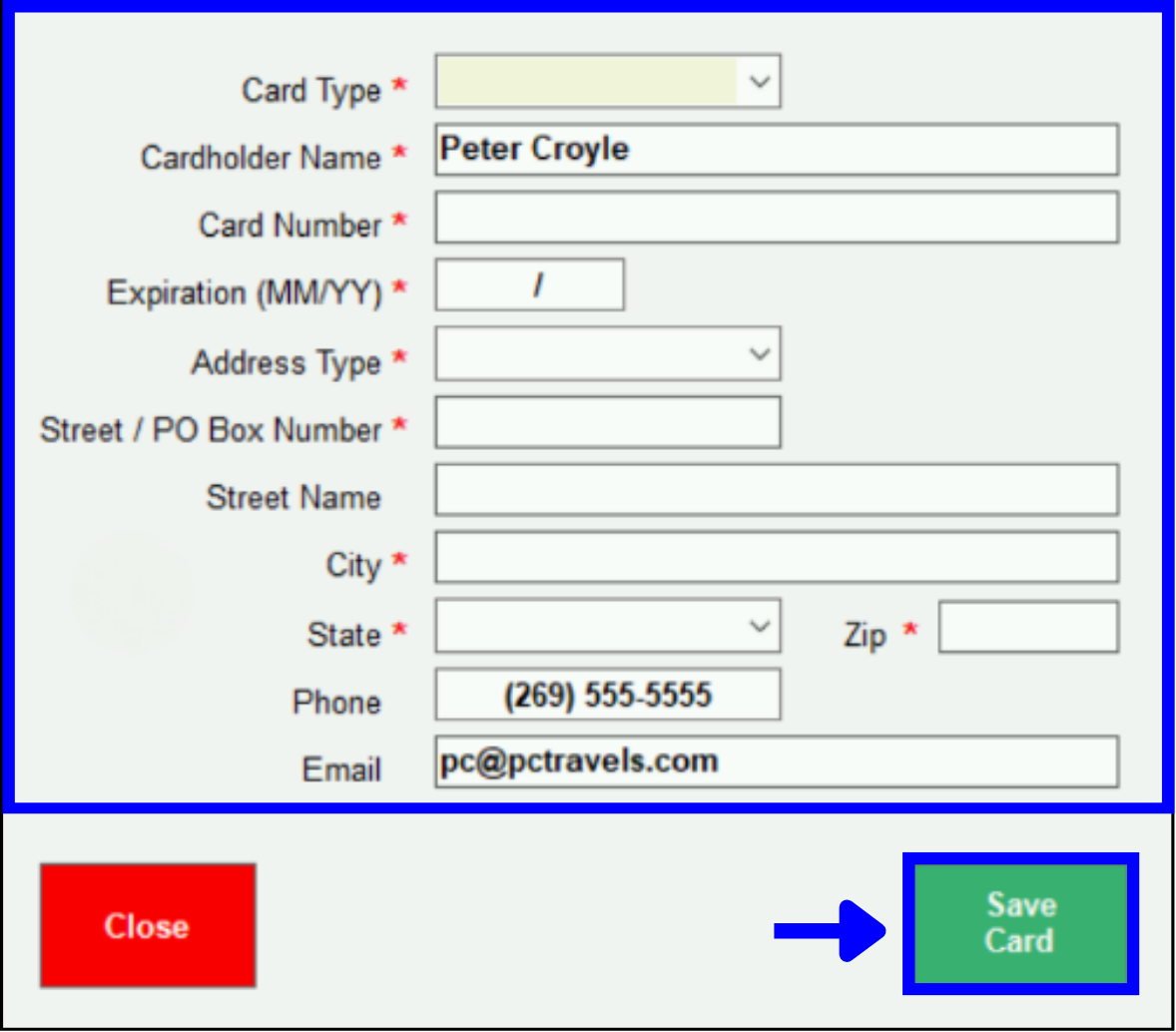
- Note: All credit card information is encrypted and tokenized, and is not stored locally on Exatouch equipment.
- Two confirmations that the card has been saved will display on the Customer Detail page.
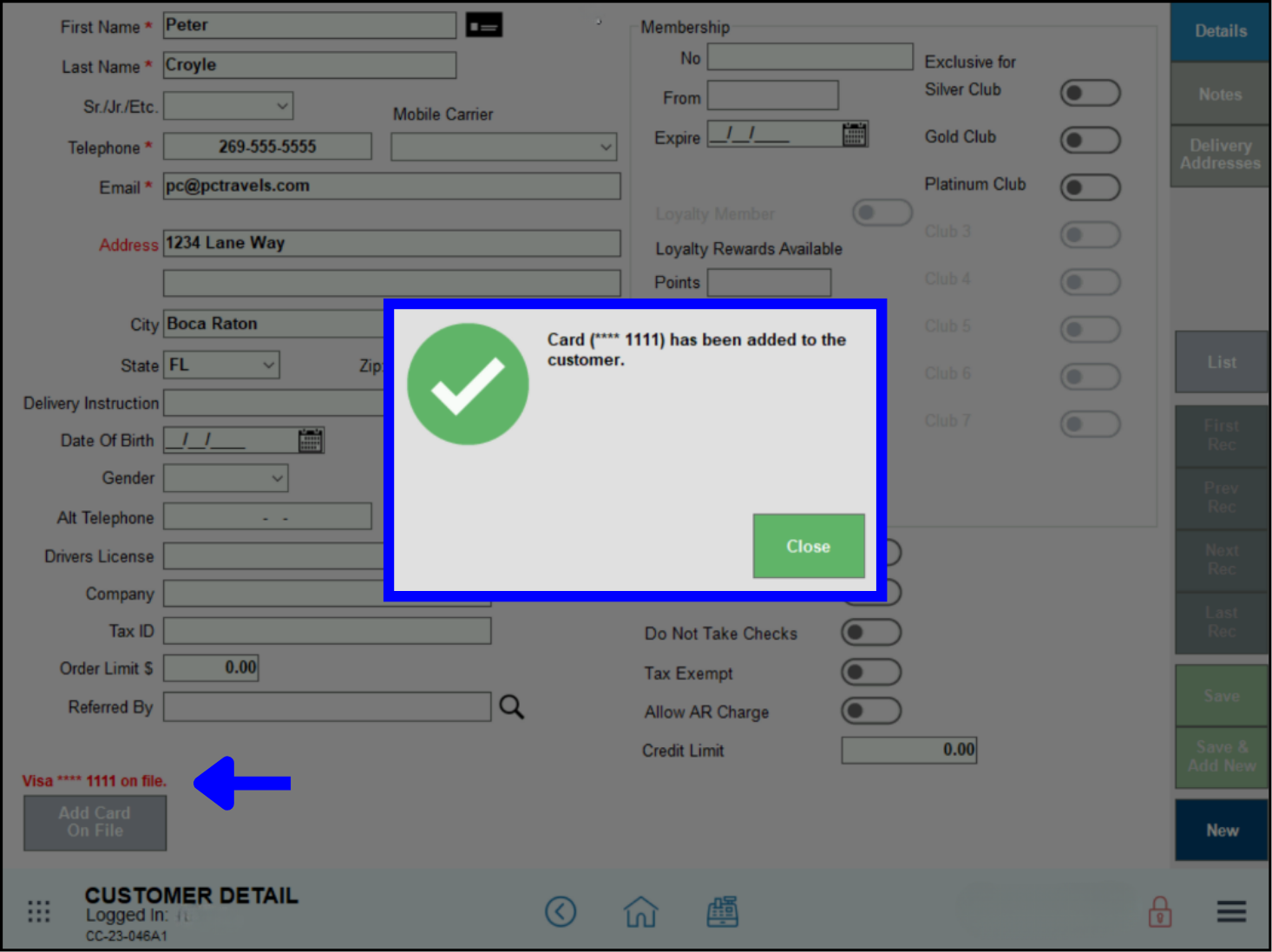
- Note: “Card on File” functions the same as “Card Not Present” in the Exatouch system.
- Go to the Register and add an order.
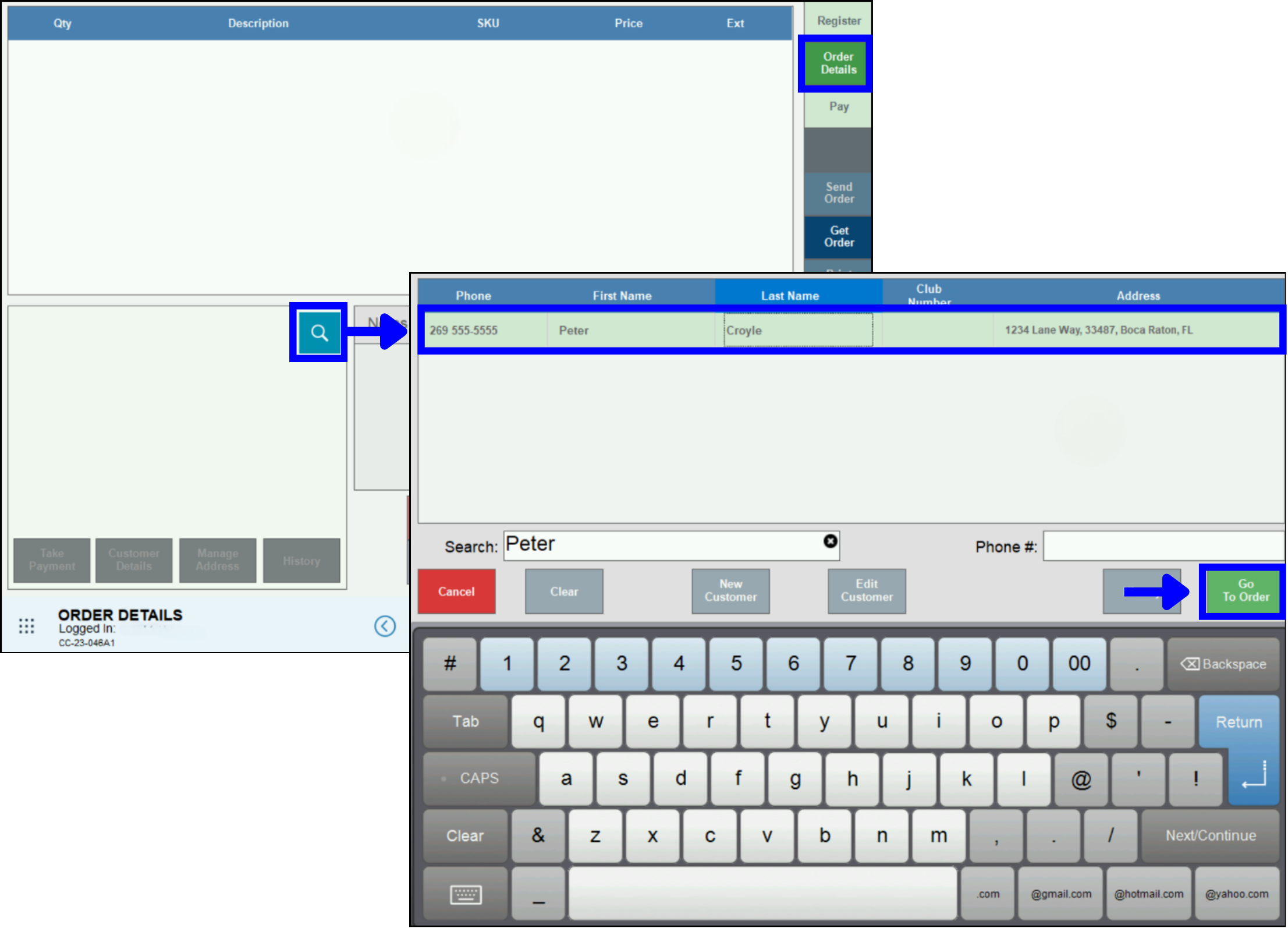
- In the Order Details tab, use the search icon to open the Customer List.
- Attach the customer to the order in progress by selecting the name and tapping Go to Order.
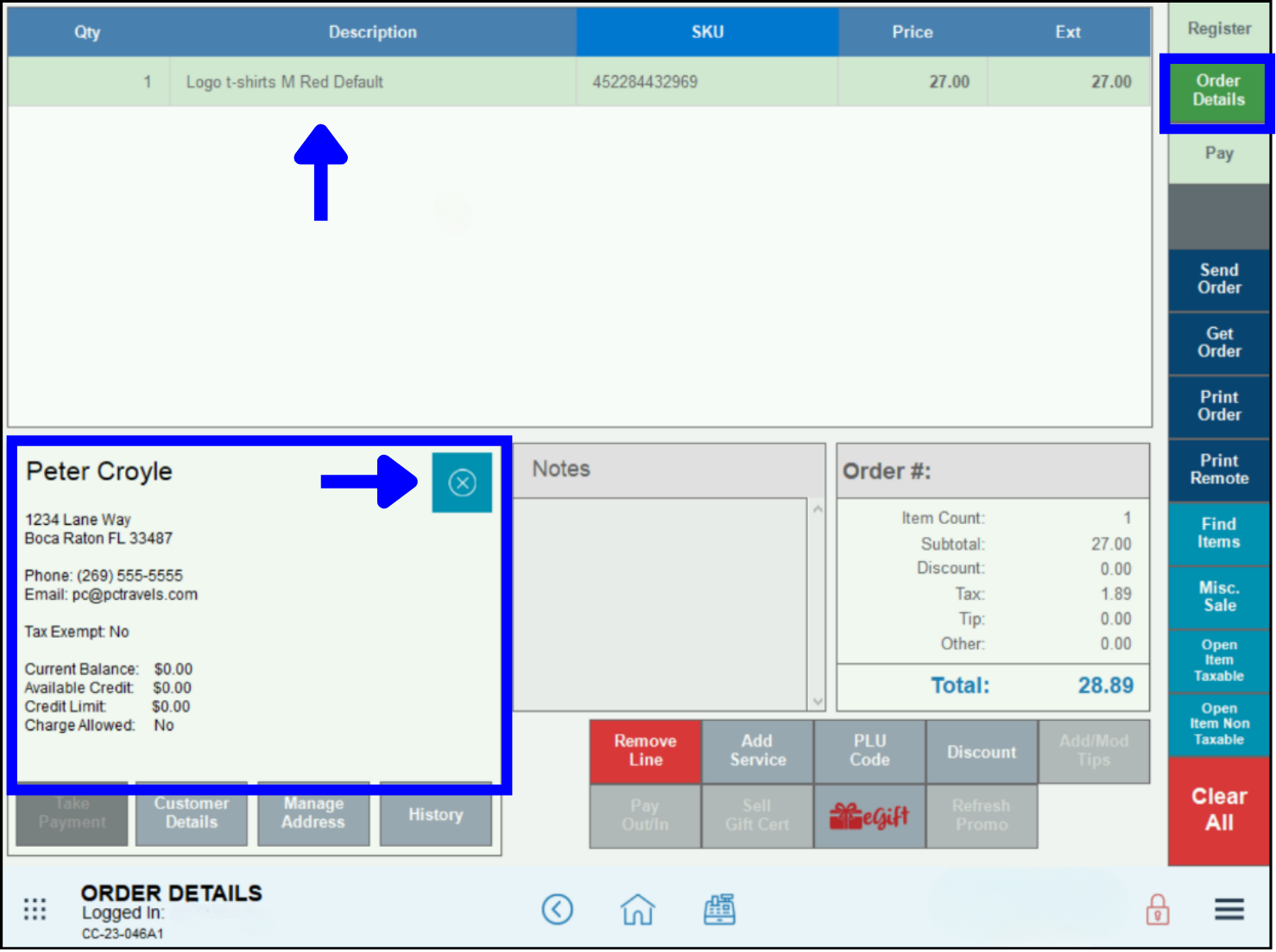
- The Order Details tab will display the customer profile information in the lower left.
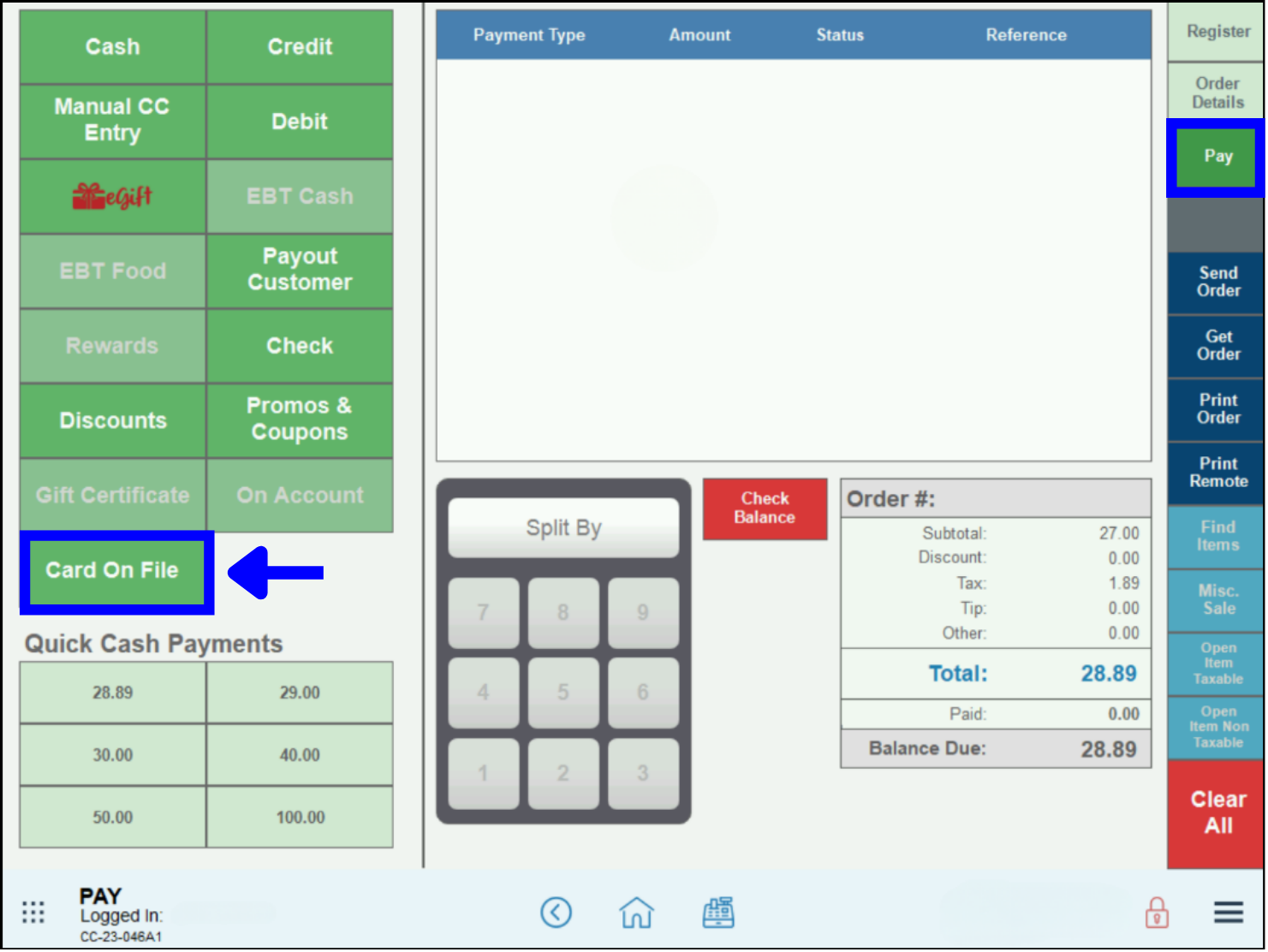
- In the Pay tab, select Card on File.
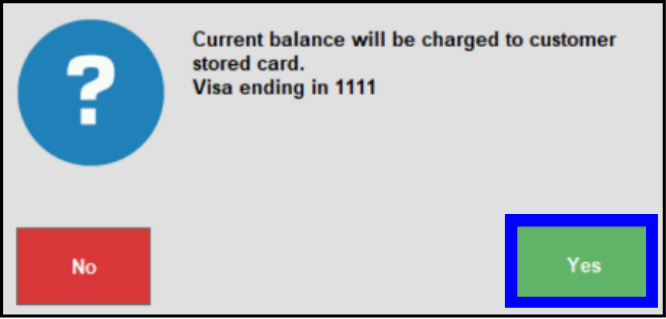
- Tap Yes in the confirmation window.
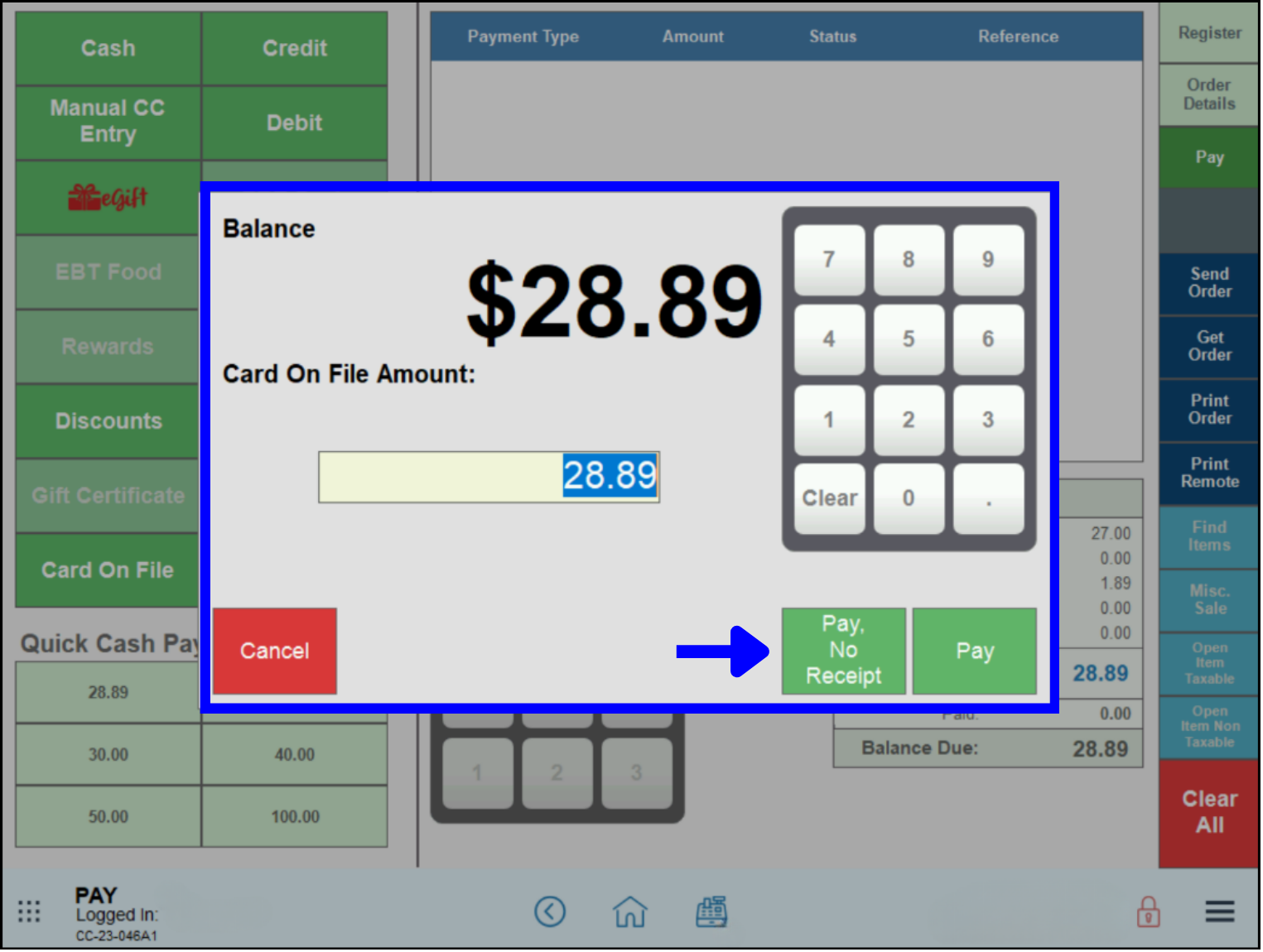
- Confirm the amount to be charged to the card on file, then choose a payment option: Pay, or Pay-No Receipt.
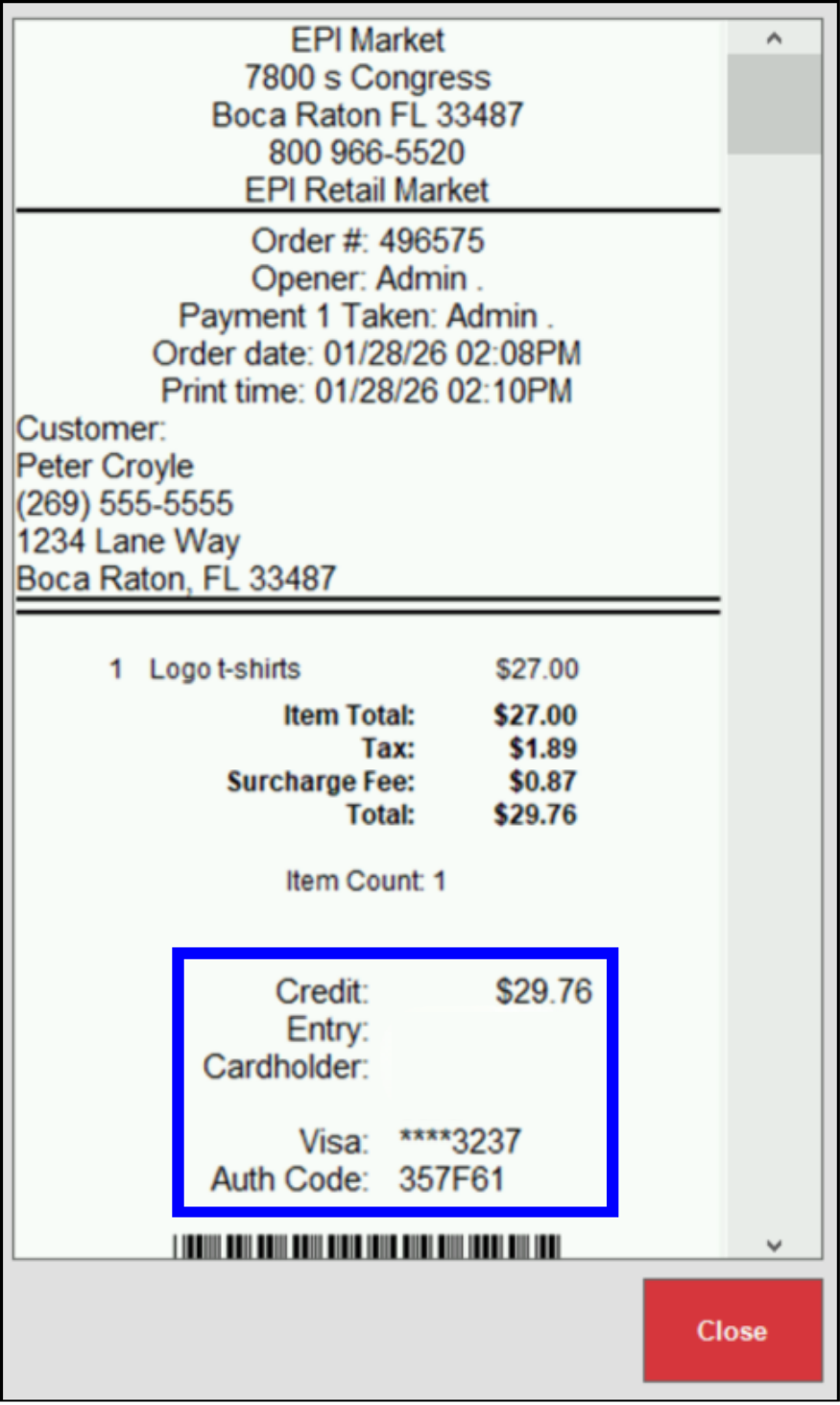
- The receipt will display onscreen, with the card information at the bottom.
- Note: Tips charged to a card on file work like normal credit card sales, and are added on the Complete Auth screen. For more information, see Adjust for Tips on an Order.
How can we improve this information for you?
Registered internal users can comment. Merchants, have a suggestion? Tell us more.