
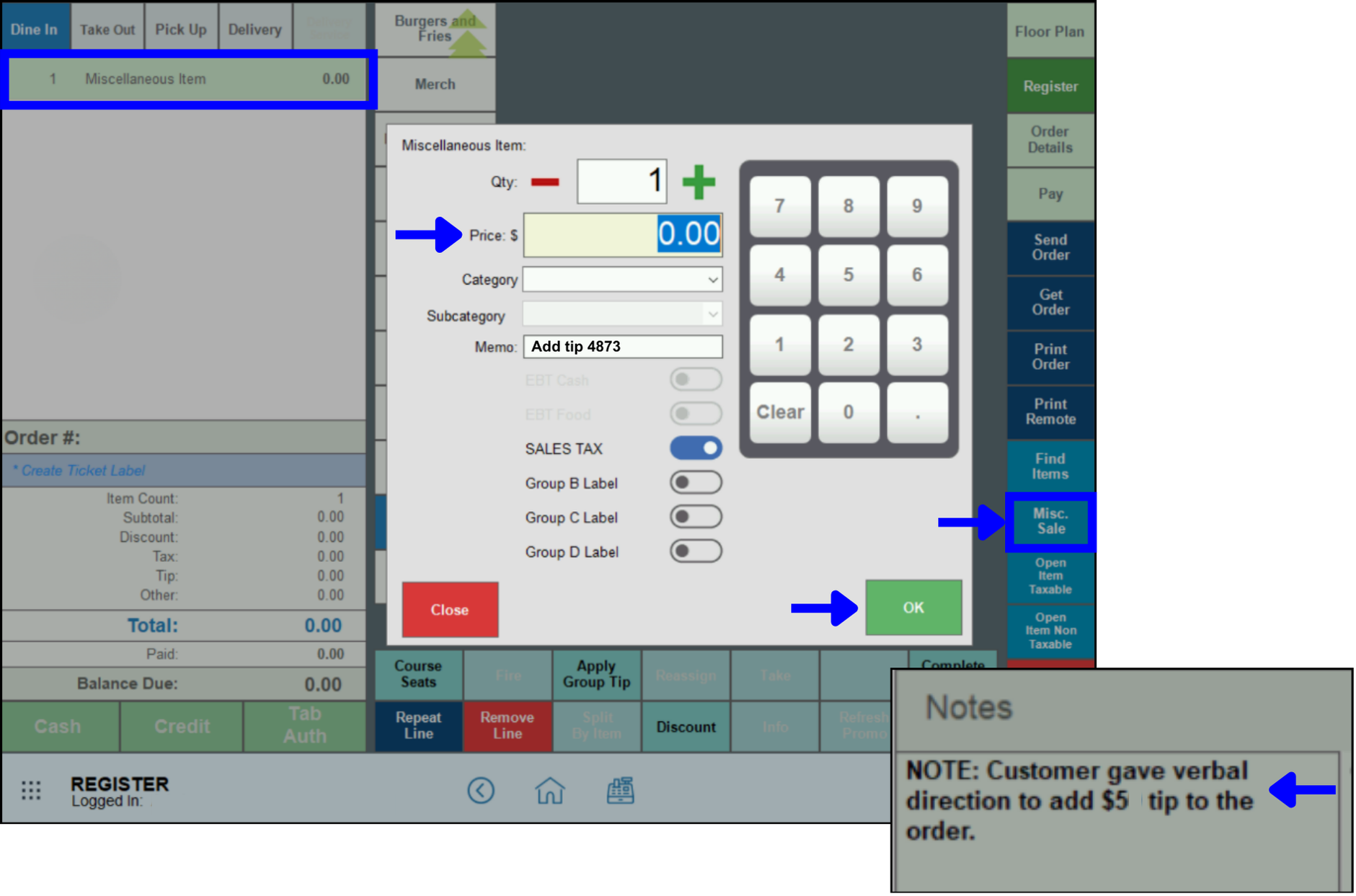
To add a tip to a Closed Order, use the Misc Sale function in the Register.
If it’s too late to add a tip to an open order (for example, if the server batched out before the tip was added, or a customer gave the verbal direction to add a tip to an order after it was completed), use the Misc Sale function in the register to add a tip to the closed order.
- Go to Register > Misc Sale, and enter $0.00.
- Reference the original order number in the Memo field, and click OK.
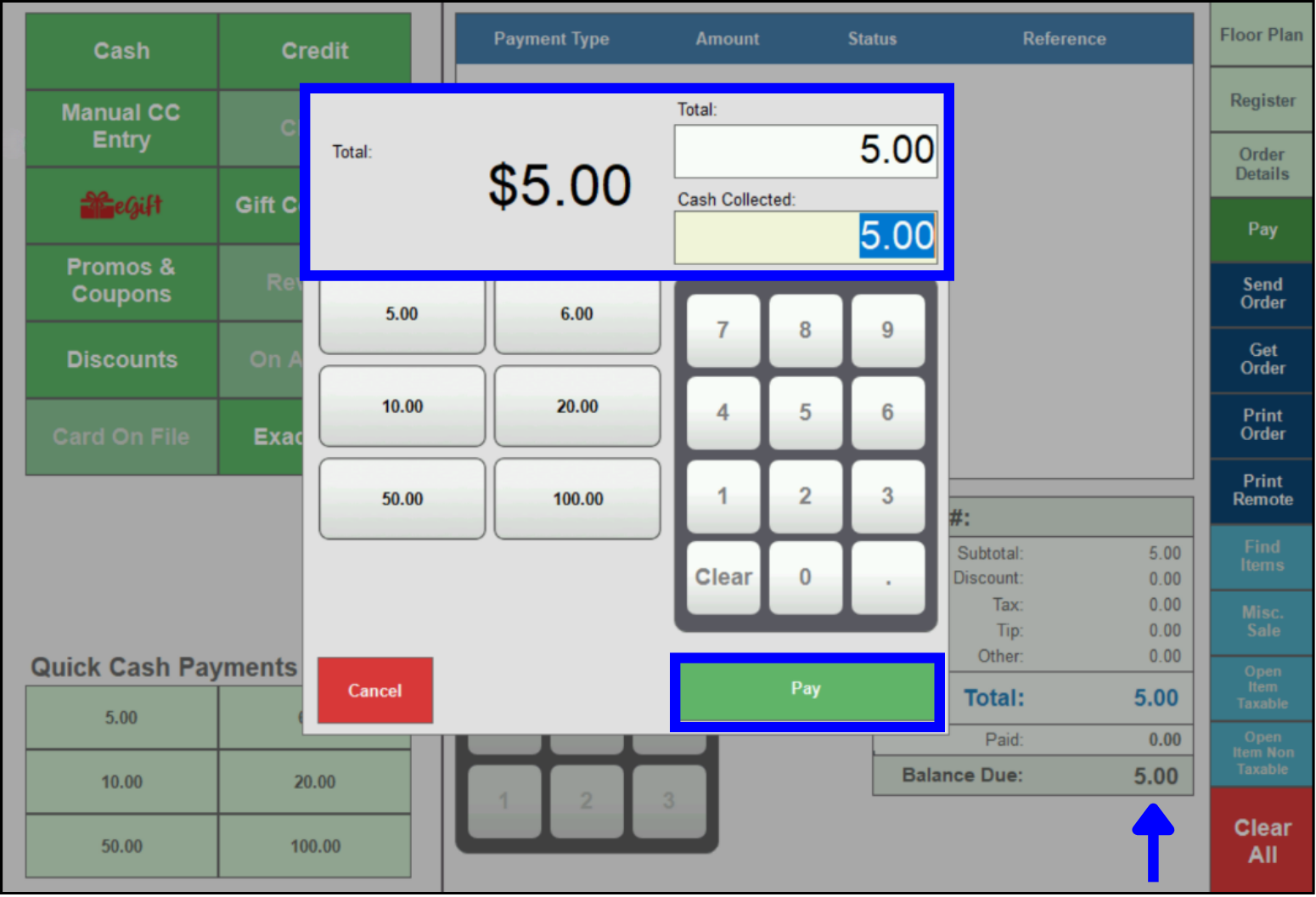
- Click Pay, add the tip amount, then select the payment method.
- Select Transaction, Text Message, or Email for the receipt.
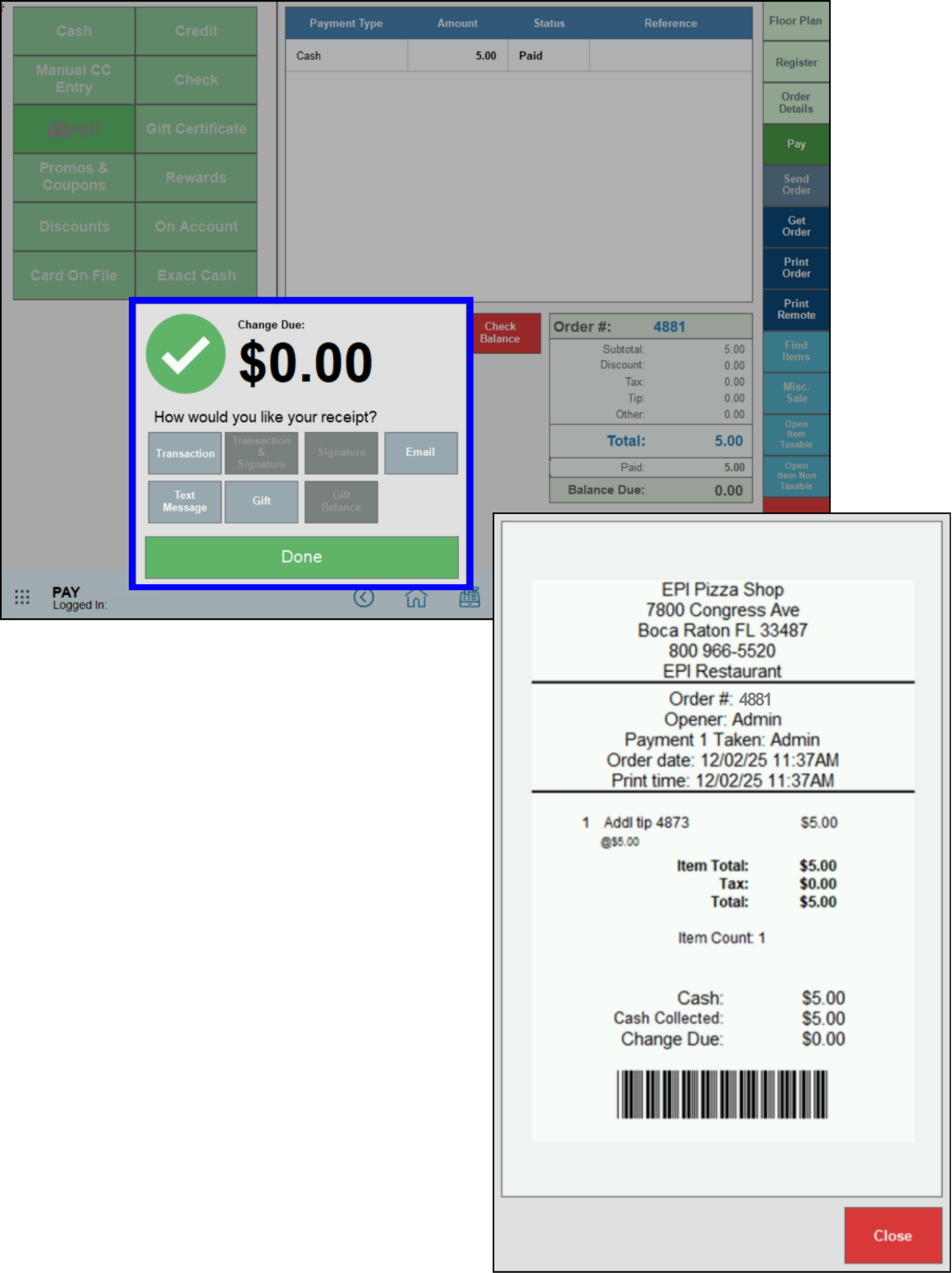
- Note: Selecting Email will give the option to either email the receipt or print it out immediately.
How can we improve this information for you?
Registered internal users can comment. Merchants, have a suggestion? Tell us more.