
To attach a tip amount to an order prior to collecting/processing payment, use the Add/Mod Tips function.
To add or modify tips while working on an open order:
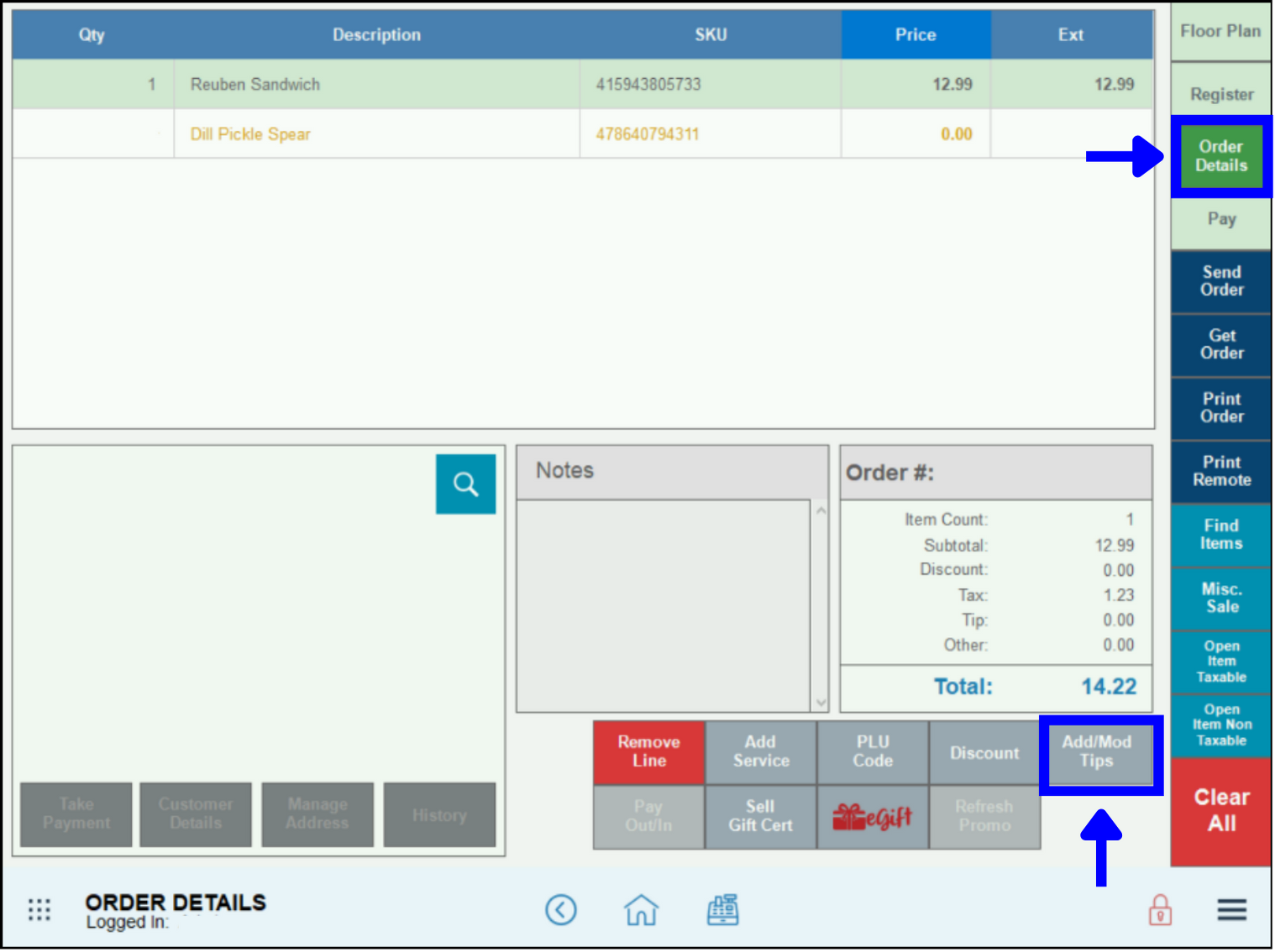
- Go to Register > Order Details.
- Note: The tip can display as zero or a pre-existing amount in Order Details. In the following example, money will be added to a zero tip, but the process for modifying an existing tip is the same.
- Click Add/Mod Tips.
- There are two options:
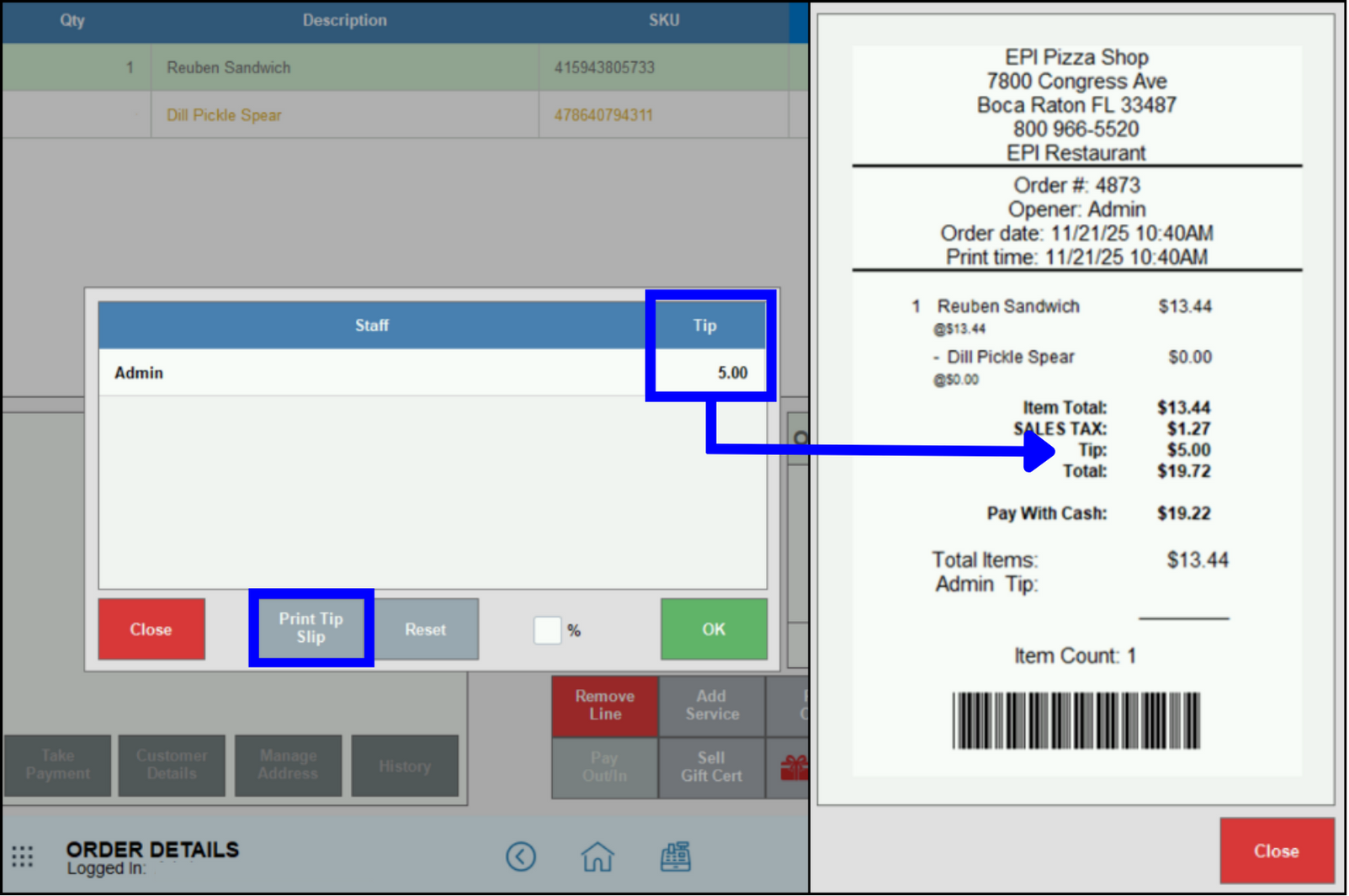
- Enter a flat dollar amount by entering the amount under Tip, then click OK.
- Use a percentage of the entire order amount by clicking the % box and entering the % amount under Tip, then click OK.
- The adjusted tip amount will display on the receipt.
- Note: Add/Mod Tips only works in an open order for which payment has not been processed. If the payment has already been collected, see Add Tip to a Closed Order.
How can we improve this information for you?
Registered internal users can comment. Merchants, have a suggestion? Tell us more.